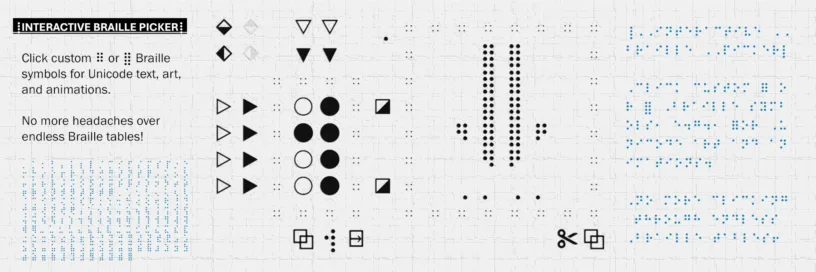
Have you ever needed lots of particular Braille symbols for artistic purposes, but the look-up tables have almost ruined your eyesight or given you a stroke? Then be self-helpless no longer and check out my tool for the task:
This interactive symbol picker is aimed toward artists who need to make Unicode art and animations with Braille, but it does not much benefit authors/readers of the tactile writing system for the blind. Note that it works on mobile phones, though it is not pretty, so use a desktop browser for the best experience. For a start, Braille patterns could be referenced numerically, like 2346 stands for ⠮—however, I did not find that system intuitive enough to build animation patterns with it, leave alone the hexadecimal math behind the Unicode patterns.
The main requirement was to always have multiple options to craft your Braille symbols, be it dot-by-dot or by using extra buttons that mirror or toggle multiple dots. Specifically, every item shown has a function when clicked on:
- ○● (circles) can be clicked individually to select or unselect them. You can also click and drag the mouse across multiple Braille dots to toggle them.
- ▷▶▽▼ (triangles) are used to select or unselect an entire row or column. Dragging is also possible.
- ⬗⬖⬙⬘ (half-filled diamonds) mirror the current symbol horizontally or vertically.
- ◪ (half-filled squares) dis-/enable the entire top or bottom row, switching between 6-dot and 8-dot Braille. It does not matter which row you disable.
- ⍈ moves the current symbol over to the output box.
- ∷ of the symbol margin (left box) can be clicked on to turn all dots off or on. Temporarily turns to ∴, ∵, or ∶ during EDM crafting process.
- ∷ of the output margin (right box) undoes the last change to the output box.
- ⏏ is reserved for an output animation; it goes through all output symbols repeatedly at three different speeds, which you can cycle through by clicking on the animation. The animation is auto-played once the output phrase contains at least two unique symbols.
- ⧉ is used to copy the current symbol or phrase into the clipboard.
- ✂ copies the current phrase into the clipboard and removes it from the output box.
- Braille symbols in the output box can be removed by clicking on them or rearranged by clicking and dragging.
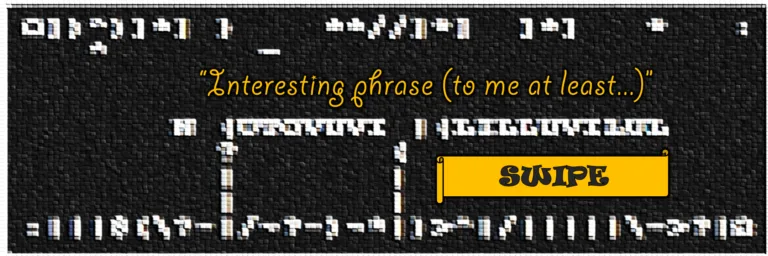
While not a true automaton due to the needed user inputs, I developed this tool for a larger project, Antomaton, hence the grid-based approach, the minimalist black-and-white style, and the lack of UI labels and tooltips. Feel free to check it out for inspiration, although I have merely dipped into the vast field of Braille art. Be assured that I will find more use cases for Braille Selector.

Leave a Reply