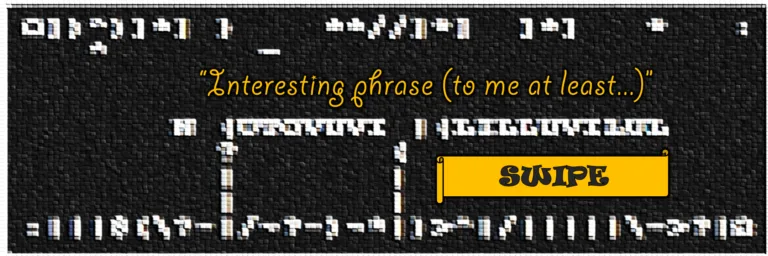
This project was intended as a code snippet for my landing page but eventually became the entire site. The latter formerly featured a list of my interests, which felt a bit plain to me, given the exposure; that it shamelessly listed several private interests of mine, such as ASMR, parenting, or politics, did not help either. Still inspired by my little MEGA acrostic animation, I first tried the same style on a list of my interests—it was bare bones:

After spending half a night eliminating possible designs on my mind, I decided that an ASCII-based cellular automaton would capture my interests best. Apart from the written-out interests, the design itself was supposed to reveal where my interests lie and what visitors should expect of my website: algorithms, coding, and cryptology, but also automation and production engineering, writing, primitive graphics, and a ship load of randomness. (Basically, my only missing hobby is music, but there is no excuse for interrupting your own audio currently running in the background, and I wanted the Antomaton to auto-play right after landing.)

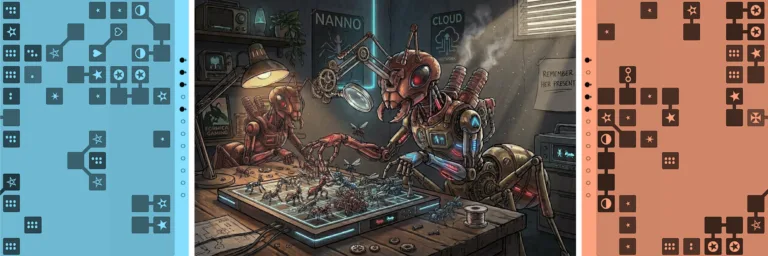
To those who are persecuted in their totalitarian home country, got to use the Tor browser, and disabled JavaScript for security or economic reasons, I can at least describe what you would see: two conveyor belts, one bringing in symbols, the other removing them. Tiny arms, sometimes working in parallel, use these symbols to create phrases, my supposed interests. However, the arms have to construct the letters in several steps, using the rolled-in symbols to first form simple letters (e.g., L, T, U) and eventually complex letters (e.g., B, R, Ö). The symbols and letters become tools and workpieces, associated with production processes that differ in usability and costs, like a fully automated, yet never optimal word factory. Depending on the speed, it is both satisfying and stressful to watch. The complexity, or what you may consider “randomness,” is based on three systems, which are detailed below.
System א: Interests
My interests are stored in a TXT file using a custom syntax of nested curly brackets. For example, the line {~, {red, hot} chili} {gum, peppers} would yield six different permutations: gum, red chili gum, hot chili gum, peppers, red chili peppers, hot chili peppers. Long lines are chosen more often, unless they start with an asterisk (*), which I use to avoid an overabundance of private, prominent, or monotonous phrases.
Since the automaton needs to work on different devices at pretty much any scale, I limited the maximum phrase length to 32 characters, which means that some permutations like “listening to finger-picked harmonies” or “conceptualizing experimental stories” (both 36 characters long) are always discarded. This reduces the total number of permutations by 35, which still leaves more than 4,420.
Eventually, I would like the interests or phrases to be created automatically. I would need a process running in the background that scrapes new posts or makes note of new favorite artists, bands, authors, or games. It hands out single unique phrases on demand, communicating directly with the automaton, so that your browser does not need to download the entire interests text file first. But for now, I create and edit the file manually.
System ב: Letter tree
The rules defining how to craft letters from symbols are stored in a second TXT file, containing lines of the shape L = | + – or A = H + ^. Currently, there are 73 rules, which allow for some Greek, umlauts and redundancy for cross-linkage. However, even single rule changes can affect the overall results very much, so I may optimize the tree further. Or in factory terms, the product is okay, although the blueprints and machining processes need further development to be more productive.
Here is a visualization of the current letter tree, which helped me understand what I was even doing [Warning: Tree may cause vertigo if stared at for too long]:
Observe how pathes along the tree are not unique; not every path is equally productive, but usually there are multiple alternatives. This will be futher exploited in the next section.
It should be noted that the crafting symbols—)(^|-:\/~$<>*°=—are only needed to construct letters. To deconstruct them, the ? tool is used, breaking down letters and knocking off symbols in reverse to the letter rules, until merely spaces are left. This makes the deconstruction phase shorter than the construction phase because the conveyor modes differ in how many ? symbols they create.
System ג: Automaton
Now lets get more specific about the arms and conveyor belts. While the outgoing belt moves only when there is trash to be carried away, the incoming belt can only move after all arms are retracted. Most importantly, every time a phrase is completed, the incoming belt chooses one of eight different conveyor modes. Explaining them in detail would definitely kill this post, so here are the modes only in a nut shell:
⡕ Chaos: all required symbols are mixed with random symbols and about 33% of ? chars. All symbols are one-shots, and they often get stolen by other letters than the designated ones. It behaves like ammunition on a belt being spent. Slow by design, as parallelization happens only accidentally.
⡓ Tray/Batch: the required symbols are rolled in on a tray. Once the tray is in position the arms start moving the symbols, which are also one-shots. This mode was inspired by additive manufacturing, particularly by powder bed fusion, a bit less by laser beam melting. Highly parallelized production but inefficient final touches.
⢸ Overlocker: Even more random than chaos mode but serially faster because all symbols are multi-shots, meaning one arm can do several operations without the incoming belt ever moving. This increases single arm speed but often obstructs parallelization as the ingoing belt is not moving forward to fill up. Imagine a sewing machine where the needle moves independently from the hand that feeds the fabric. Efficiently patches holes, steady until the end.
⢕ Revølver: Similar to typewriter mode, only the incoming belt has to move one step per arm action. The symbols are multi-shot but can only be used on consecutive letters of the phrase, not on the same letter twice. Occasionally, it looks like a machine erecting a fence. Seems like a decent all-rounder in terms of serialization vs. parallelization but gets bad scores from time to time.
⢣ Corruptor: Required symbols are sent to the back first but almost always get stolen by other letters on the way. May or may not be inspired by other conveyor modes and the Russian army. The interesting thing is that good pieces sometimes become bad just because pieces before them were stolen.
⢎ Raydar: Arms start out one-shot and corrupt at first, but as the phrase progresses, they get a higher chance to endure or skip stealy letters until they reach their destination. Always scans letters for needed symbols like a radar scanner.
⣫ Railroad: May look impressive at first due to all the steam and huffing valves and puffing pistons, but it takes forever to finish the final track sections. Dynamic needs are completely ignored by a long, rigid train with shuffled wheels of every symbol). It has a 50/50 chance to act like Overlocker or Revølver, which makes it especially unpredictable. May get replaced by airplane mode in the future.
⣤ Foundation: My final most successful attempt to create a productive conveyor mode. Similar to tray mode, although items are arranged by looking at the entire remaining tree sequence to finish a letter, and symbols are rolled in on shorter trays. Obviously, symbols cannot be stolen. However, even with total anticipation of all letters, needed tools, and steps, I did not manage to create a gapless conveyor mode.
To summarize my findings, all algorithms are somewhat productive at first but become increasingly more costly toward the final touches. This of course resembles reality. Both belts and the text phrase itself behave decoupled, and the conveyor modes are chosen at random. Ignoring different phrase lengths and RNG, the symbols that are already on the incoming belt may greatly affect how the next conveyor mode will act (non-deterministically, for the most part). Or in other words, each conveyor mode is improved by the variety of modes. [Humanity. Competition breeds excellence.]
To make the conveyor modes even more competitive, I introduced an internal leaderboard that takes a look at the last 32 phrases. The faster a mode performs, the more it gets to explore creative letter tree pathes, while the slowest runner is instructed to use the direct routes. It may sound a bit like “the smart workers get all the fun tasks,” but the smart workers say, “Why do we get all the extra work?” Indeed, it is a punishment and helps shuffle the leaderboard from time to time and make some underdogs win.
By the way, I deliberately termed the belts “incoming/outgoing” instead of simply “top/bottom” or “upper/lower.” If you have not yet, just click the automaton at the top of this page in different corners, and all will make sense. Truthfully, the few interactive element are more of a joke than a qualification for a browser-based mini game, but adjusting the tick rate is really useful:
- Upper left quadrant: click to toggle between dark and light mode (or dark and “muddy gray” mode if your device sports a built-in dark mode)
- Upper right quadrant: click to flip the automaton upside down
- Lower half: swipe left/right to change the automaton’s speed; click to see the scores
The entire JavaScript codebase is about 2,200 lines long and was created with Google Gemini 3.1 Pro, quite the useful model so far, if only the rate limits were a little higher! This time I let the AI interview me before doing major changes to the code, just to leave few things up to chance. No need to mention that the conveyor modes initially suggested by the AI were pure keech, whereas it excelled at implementing my ideas (all for $10). Glad to know AI still requires human architects.
Trivia
ד. Size 32-by-9 was an intuitive decision and never contested. This constant grid size made defining other aspects of the automaton a lot easier. Two extra columns were added at the sides for various UI elements, such as tiny conveyor mode animations, which adds up to 306 cells in total. No symbol was ever allowed outside these cells, and all UI elements had to be composed of unicode. (And let me tell you, there are quite a lot, of which I know only a handful; unicode builds the entire foundation for global communication, both present and past. I would love to do projects with hieroglyphs, runes, or cuneiform in the future).
ה. I briefly considered letting the visitor switch between UPPERCASE and lowercase letters because both have their own appeal; while UPPERCASE makes more sense for constructing letters from bars and arcs, lowercase is generally faster to read. Nonetheless, I decided against the distinction because it would have required two different letter trees. I was not even sure the one would work.
ו. Chaos mode was the first conveyor mode I created. Ultimately, I wanted to develop more sophisticated algorithms based on machine learning that make the conveyor belts more adaptive and the phrase crafting faster. But at this point, I find the automaton’s inefficiency somewhat endearing, so total optimization may not be the main goal in this case. Foundation mode comes close but gets boring fast.
ז. Once per phrase it is decided how many arms to use in parallel (either 2, 3, 4, 5, 7, 10, or all arms with tiny delays in between), as the number of arms greatly affects the overall speed and I do not want you to get bored.
ח. With a 50/50 chance, chaos or batch mode use reinforced ǁ arms instead of | arms. At the end of a mode cycle, the ┃ arms get even stronger. For now, the upgrade is purely aesthetic.
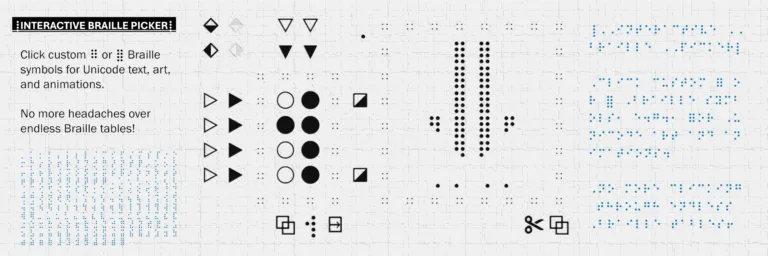
ט. I wish I could actually read Braille, and people who can deserve my uttermost respect. Late during development, I found that Braille unicode fits the style of the Antomaton perfectly, and that I could make little animations from them. The master stroke, in my humble opinion, was to increase the 7 cells of the vertical progress bars to 28 sub-cells by sneaking in Braille patterns: ⢸ →⢀⠠⠐⠈. I had so much fun working with these dots that I even made my own unicode selector (because all the websites feature Braille characters in tabular form, which is quite difficult for an amateur. Clicking circles to fill them, on the other hand, is fairly intuitive). I may even host the tool on a separate page once it is more polished.
כ. After much consideration, I had to discard a Tetris-like blinking effect because it greatly decreased the overall speed and felt too distracting in such an automated environment. It was supposed to make you understand better how the letters are crafted. Thankfully, it gave way to the adjustable tick rate feature which allows you slow down the automaton. Tetris was honored in other ways, though, for example, how one set of all conveyor modes is shuffled like the seven Tetris bricks, not to end up with the same mode/brick three times in a row.
ל. You will have to figure out the meaning of the cryptic scores that are shown when changing the tick rate. Clue 1: Keep in mind that each conveyor mode has its own custom Braille symbol, from which it derives a custom animation. Clue 2: The scores and tick rate are displayed in a custom vigesimal system (base-20) that uses the digits Ø123456789MAXNTOHYER—and no, not a password of mine.
מ. One problem with JavaScript is that it runs on the front end, i.e., the entire code goes to the client who can look at it, modify it slightly, and sell it as their own. To protect my intellectual property from most of the script kiddies out there, I bundled the TXT files with the code and obfuscated it. They can still steal the bundle, run it and embed it elsewhere, but they could never change the interests (my biggest fear), the letter tree, or any of the variables. I suppose people who know how to reverse these precautions would rather spend their time rebuilding the automaton from scratch.

נ. I have no idea how Antomaton may look on your device as it always uses the monospace font most readily available. From what I have seen so far, symbol depictions vary greatly between different fonts. This is somewhat intentional, as I do not think it will break the animation but instead highlight its non-deterministic character. You also get the chance to see and/or coin phrases for the first time, i.e., interests I never even knew I was interested in (suggestions in the comments).
Steve
Wann Game im Space Invaders Style? 😍